
Demo Wizard is the Ultimate Store Sampling & Demonstration management software for Brick and Mortar Retailers and CPG Vendors.
Chat with us

Phone
Copyright © 2026 Demo Wizard
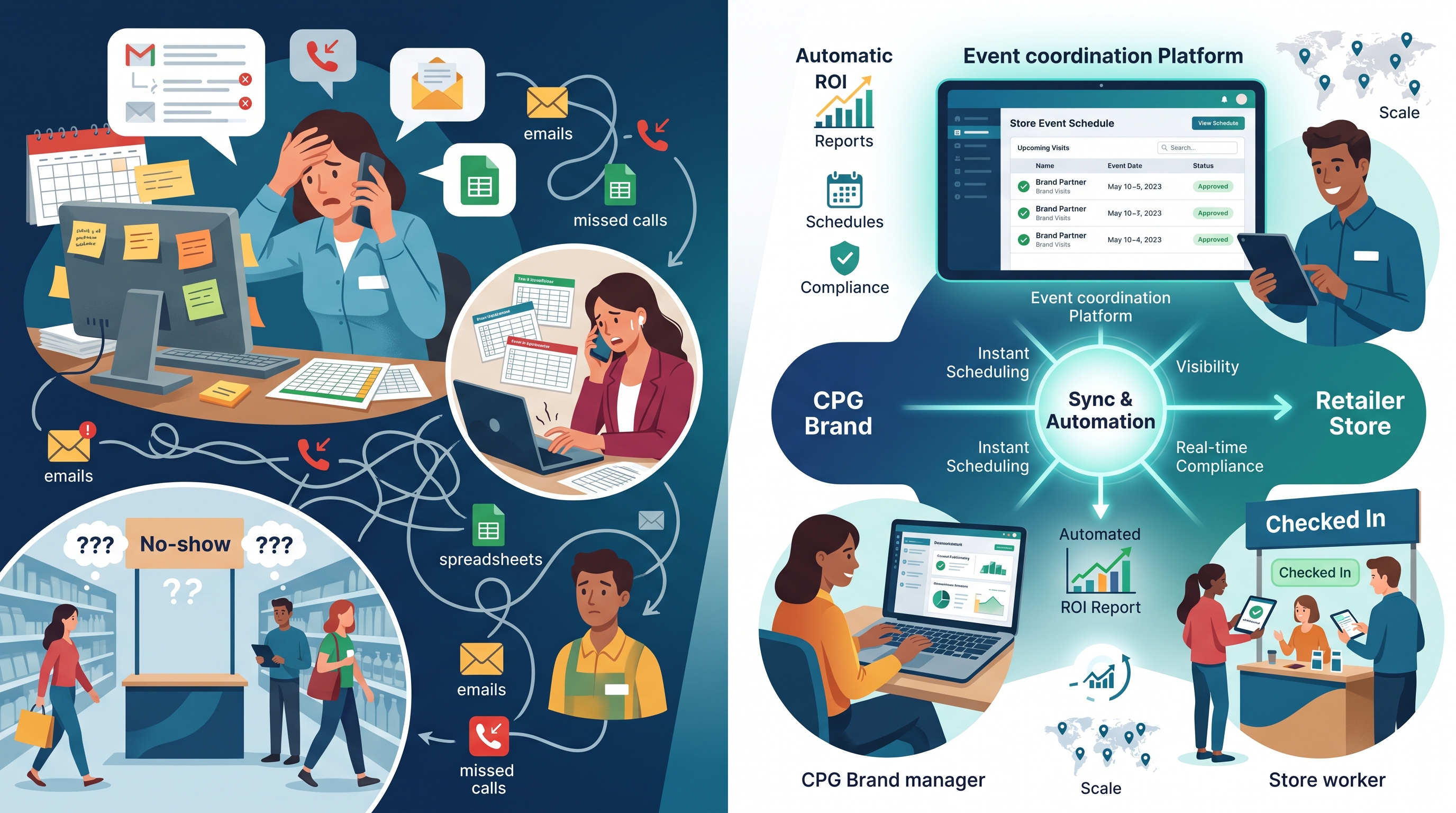
In-store event management works best when CPG brands and retailers share one coordination system instead of trading emails, spreadsheets, and phone calls across every location. Automation platforms centralize scheduling, give store managers visibility into every vendor visit, flag compliance issues before they disrupt operations, and turn sign-in and sales data into ROI reports automatically. The result is fewer no-shows, less administrative load on store staff, and demo programs that can scale to hundreds of locations without adding headcount.
Coordination breaks down when each party books demos independently; a shared, centralized system replaces scattered emails and spreadsheets with one calendar everyone can see.
A regional CPG brand running 40 demos a month across three retail chains often has no idea what the other brand's ambassador scheduled at the same store on the same Saturday. Spreadsheets get out of sync, emails go unanswered, and nobody owns the master schedule. The result is predictable: two vendors show up expecting the same end-cap, a brand ambassador arrives to find the table already occupied, or worse, no one tells the store at all. Without a single source of truth, every location becomes a guessing game for both the brand and the people working the floor that day.
Retailers juggling dozens of CPG vendors and demo companies have no standard way to vet, approve, or track who's coming into their stores and when.
Each vendor typically runs its own booking process, so a store manager might get a phone call from one distributor, an email from another, and a text from a third-party agency representing a different brand entirely. There's no unified intake process to confirm insurance, compliance paperwork, or staffing details before someone walks in the door. Retail operations teams have flagged this kind of fragmented vendor coordination as a drag on store-level efficiency, since manual, store-by-store processes consume labor hours that could go toward customer-facing work [5]. In-store event management platforms address this by giving retailers one intake channel for every vendor request, regardless of which brand or agency is behind it.
A shared calendar visible to store managers, distributors, brand ambassadors, and brand headquarters confirms coverage and location availability before event day.
When every party can see the same schedule, a store manager can approve or decline a time slot before it's locked in, a distributor can confirm product delivery matches the demo date, and brand HQ can verify ambassador assignments across every location without a single phone call. This also solves a problem CPG vendors have created for store employees for years: showing up without advance notice, leaving staff to scramble for table space, extension cords, or signage approval on the spot. Centralized scheduling replaces that disruption with a calendar entry the store sees days or weeks ahead, confirmed and ready before the ambassador ever walks in.
Four numbers tell most of the story: units sold during the demo window versus baseline velocity, sample-to-purchase conversion rate, foot traffic near the activation, and cost per demo.
These metrics matter because they answer different questions. Units sold versus baseline shows whether the activation moved product beyond what the store would have sold anyway. Sample-to-purchase conversion shows whether the ambassador's pitch and product quality actually persuade tasters to buy. Foot traffic near the display indicates whether the location and signage pulled shoppers in, independent of conversion. Cost per demo ties the whole effort back to budget, letting a brand activation manager compare a club-store turnkey fee against a self-run independent grocery event on equal footing. None of these metrics work in isolation, a high conversion rate at a low-traffic table still produces a disappointing unit count.
Sales uplift gets measured by comparing point-of-sale data for the demo window and surrounding days against that store's historical baseline for the same SKU.
A brand pulls the SKU's average daily units for the two to four weeks before the event, then compares that baseline to units sold during the demo and for a short tail afterward, since some purchases happen a day or two later once a shopper's tasted a sample and returned to buy a full-size version. The gap between baseline and actual sales is the uplift attributable to the activation, not just normal store traffic. This comparison only works cleanly when point-of-sale data is tagged by date and store, which is part of why manual, spreadsheet-based tracking breaks down once a brand runs more than a handful of events a month.
Post-event analytics aggregate ambassador check-in and check-out times, photo compliance, and point-of-sale data into one recap report without manual compilation.
Instead of a coordinator chasing down time sheets, photos of the table setup, and a sales export from three different sources, an automated recap pulls all three into a single record tied to the store and date. Demo Wizard's analytics dashboard handles this aggregation directly, reporting experience-to-purchase conversion by store and time period so a coordinator sees which activations performed without reconstructing the data by hand. Real-time dashboards matter more for multi-location in-store event management than for a single event, because the real value comes from comparing dozens of stores side by side, identifying which locations, formats, and time slots justify repeat bookings, and which ones aren't worth the shift fee next quarter.
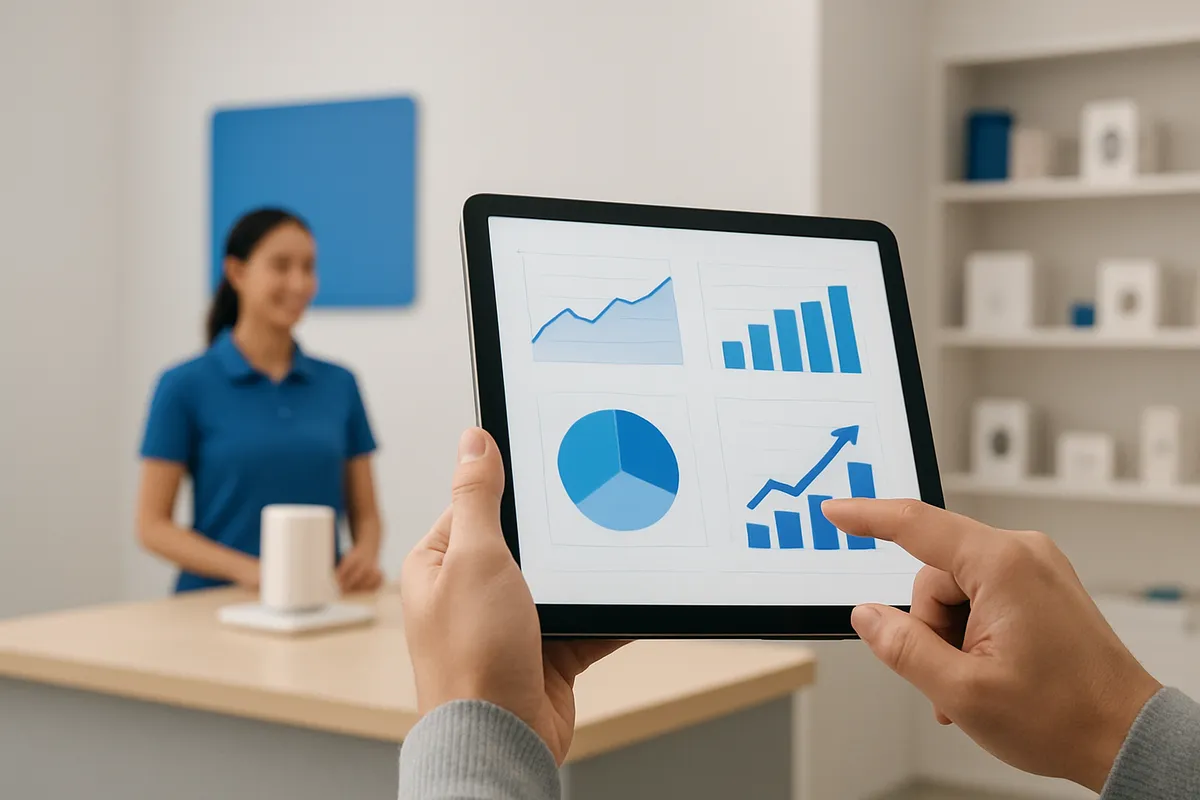
Automation removes the repetitive, manual coordination work in in-store event management, scheduling calls, check-in verification, chasing recap photos, and payroll reconciliation, so a small team can run large programs without burning out on logistics.
Store employees have traditionally absorbed a lot of unpaid coordination work just to host a demo. A store manager might field a phone call from a distributor confirming an ambassador's arrival time, then another email from the brand asking if the table setup went as planned, then a third message chasing down whether photos were taken for the brand's records. For more information, see Property Management.
None of that is retail work, it's administrative overhead pushed onto people who are already running a store. Automated platforms eliminate the need for phone and email scheduling confirmations by publishing a shared calendar that every party, brand, distributor, ambassador, and store, can see without a round of calls. Manual check-in verification gets replaced by digital check-ins the ambassador completes on arrival. Chasing recap photos disappears because submission is built into the ambassador's workflow, not a follow-up favor the store has to request. And reconciling payroll hours by hand, matching timesheets to scheduled shifts, gets replaced by automatic calculation tied to actual check-in and check-out times.
Automated scheduling and two-way notifications take the store employee out of the middle of vendor, distributor, and ambassador communication entirely. Instead of a manager relaying messages between a brand coordinator and a no-show ambassador, the platform notifies all parties directly when a shift is confirmed, changed, or missed.
This matters more as programs scale. A brand running a handful of demos a month can get away with manual coordination [3][4]. A brand running hundreds of monthly events across multiple states cannot, not without hiring more coordinators to manage the phone tag. Demo Wizard is built around this exact scaling problem: a single coordinator can manage demo programs across hundreds of stores using automated scheduling and ambassador management instead of adding headcount every time the program grows.
Compliance checks close the loop without requiring store staff to police anything. Geofenced check-ins confirm the ambassador actually showed up at the right location, and standardized photo and checklist submissions confirm the event ran to plan. The store gets proof the activation happened correctly without anyone on the floor having to verify it manually.
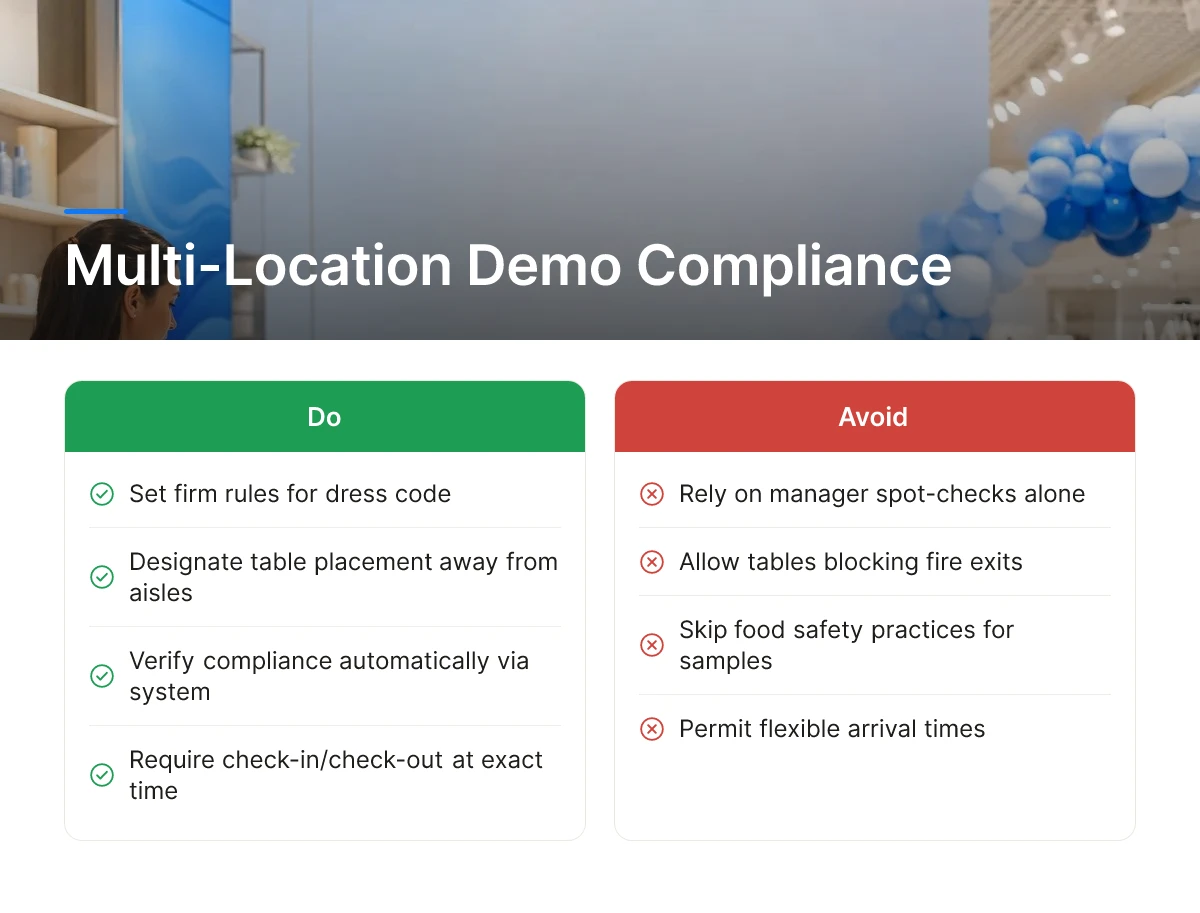
Retailers set firm rules for dress code, table placement, food handling, and arrival times, and in-store event management only works at scale when a system verifies compliance automatically rather than through manager spot-checks.
Most retail partners hand demo staff a short but non-negotiable list: branded or neutral attire, a designated footprint that doesn't block aisles or fire exits, food safety practices for any sampling involving perishable product, and a check-in/check-out process tied to the exact scheduled time slot. A grocery chain hosting 40 demos across its stores on a single Saturday has no capacity to confirm each of these manually. For a brand running the same campaign in 20 states, the risk compounds, one ambassador in the wrong uniform or an untracked arrival time can jeopardize the retailer relationship for every other location in the rollout.
Geofenced check-ins and digital checklists confirm compliance automatically, replacing manual supervision with location-verified, time-stamped records for every event.
When an ambassador arrives, the app confirms they're physically at the correct store before allowing check-in, which closes the gap where someone claims a shift without showing up. A digital checklist, food handling steps completed, table set up within the approved footprint, signage placed correctly, gets submitted with photo confirmation before checkout. Retailers get a record without assigning a staff member to watch over the demo table, addressing the labor concern that independent and regional grocers raise most often about hosting CPG activations.
Mobile-delivered briefings sent ahead of each event keep product knowledge and talking points consistent across every door in a campaign.
Instead of a single in-person training session that doesn't scale past a handful of markets, ambassadors receive product specs, allergen information, and sampling instructions on their phones before each shift. Platforms like Demo Wizard pair this briefing step with ambassador management, so the same coordinator overseeing 300 monthly events can push updated talking points to every door at once rather than relying on word of mouth between shifts [1].
Escalation handling matters just as much as upfront compliance. A centralized system flags a no-show or a missed checklist item within minutes, giving the coordinator time to dispatch a backup ambassador or correct the issue before the store manager notices a disrupted demo table.
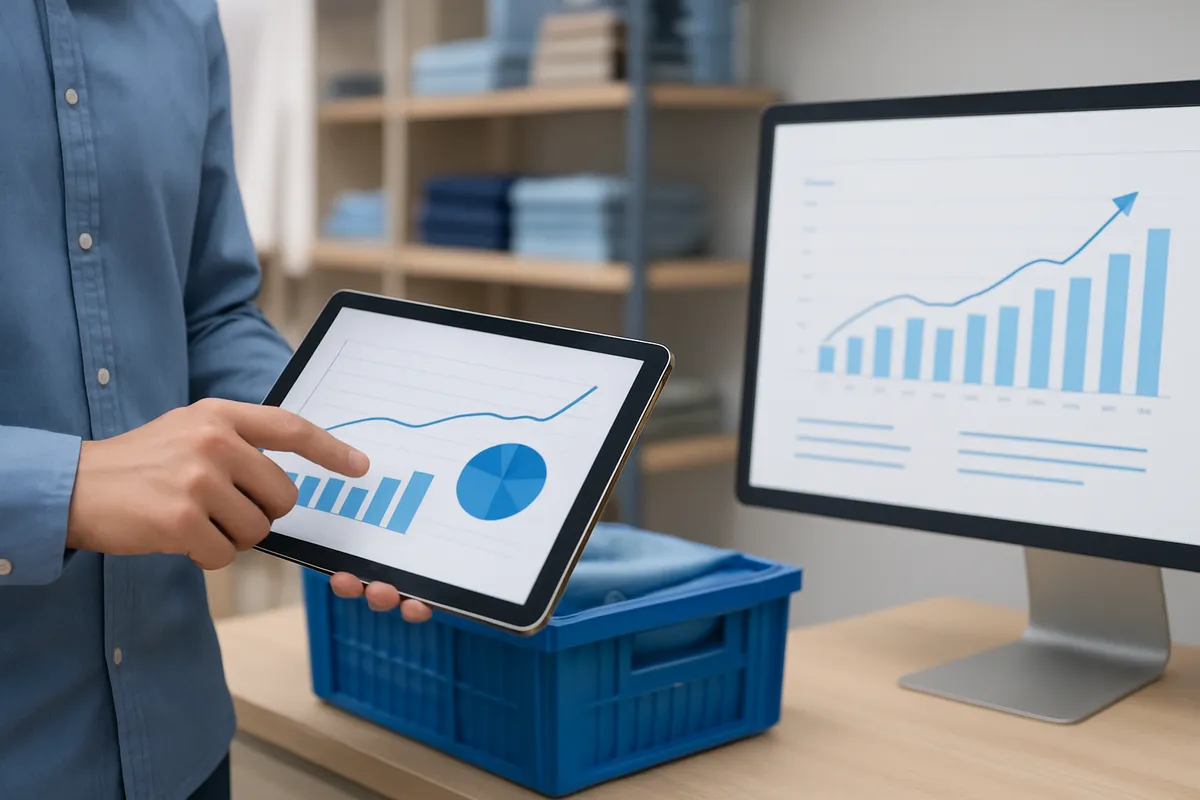
Demo data closes the loop when it connects scheduling and execution records to inventory checks before the event and to sales reporting after it, turning isolated tables into a feedback system. That connection is what separates in-store event management from simple calendar-booking.
A confirmed demo date is only useful if the store has stock to sell through it. When scheduling data is tied to inventory alerts, a coordinator can see, days ahead, not hours ahead, whether a location is tracking toward a stockout before the ambassador ever sets up a table.
This matters most for the scenario every brand activation manager has lived through: a Saturday roadshow that sells out by 1 p.m. because nobody checked shelf counts against expected foot traffic. Retail automation research on inventory and fulfillment processes points to the same principle applied elsewhere in store operations, checking stock levels against demand before committing resources, rather than after a shortfall shows up in the numbers [5]. Applied to demos, that means inventory forecasting becomes part of the scheduling step, not an afterthought.
Once a demo runs, the useful numbers are units moved, which stores had the highest uplift, and which time slots converted best. Demo Wizard's analytics dashboard captures this at the store and time-period level, and that data can be exported or connected into the retail analytics platforms a brand already uses for category review and retailer scorecards, rather than living in a separate silo only the activation team ever opens.
This integration is about demo scheduling, inventory status, and aggregate sales performance, not individual shoppers. Demo Wizard tracks experience-to-purchase conversion by store and time period; it does not identify, message, or build profiles on the people who sample a product. Brands looking for shopper-level personalization need a separate CRM or loyalty system, that's a different tool for a different job.
Centralizing schedule, inventory, and sales data across every store lets a brand or retailer line up performance side by side: which locations justify repeating a program, which ones need a different time slot, and which underperform regardless of staffing. That comparison is hard to make from scattered spreadsheets and easy to make once every event reports into one system.
Yes, when scheduling, ambassador assignment, and reporting are automated rather than handled store-by-store in spreadsheets. Demo Wizard is built around this exact scenario, letting one coordinator run hundreds of monthly demos across multiple states without adding headcount. The bottleneck isn't coordinator capacity, it's manual processes that don't scale past a few dozen locations.
No, these platforms track demo events, ambassador performance, and store-level sales impact, not individual shoppers. Demo Wizard, for example, measures experience-to-purchase conversion by store and time period, not shopper identity or behavior. The data answers "did this location convert" rather than "who bought it."
With automated reporting, underperformance is visible within a day of the event rather than weeks later. Platforms that aggregate store-level data as demos close let brand teams spot a weak location or time slot fast enough to adjust the following week's schedule, instead of discovering the problem at quarter-end review.
A recurring program runs on a repeating schedule across many stores to build steady trial and sales lift, while a one-off activation, like a short roadshow, is a temporary, high-impact push at select locations. Recurring programs depend on consistent scheduling and payroll; roadshows depend more on inventory forecasting and prime placement for a fixed window.
Scaling in-store demos past a handful of stores breaks down under manual scheduling, disconnected payroll, and reporting that arrives too late to act on. The fix isn't more coordinators, it's a system that schedules across locations, manages ambassadors, and surfaces store-level ROI as events close. Brands get proof of conversion to defend shelf space; retailers get a single calendar instead of scattered vendor emails. Start by auditing how many hours your team spends each week on scheduling logistics alone, then test an automated platform like Demo Wizard against that baseline for one region before rolling it out nationally.
Explore more from our content library:
About the Author
Written by the SaaS / Retail Marketing Technology experts at Demo Wizard. Our team brings years of hands-on experience helping businesses with SaaS / Retail Marketing Technology, delivering practical guidance grounded in real-world results.
Demo Wizard is the Ultimate Store Sampling & Demonstration management software for Brick and Mortar Retailers and CPG Vendors.
Chat with usPhone