
Demo Wizard is the Ultimate Store Sampling & Demonstration management software for Brick and Mortar Retailers and CPG Vendors.
Chat with us

Phone
Copyright © 2026 Demo Wizard
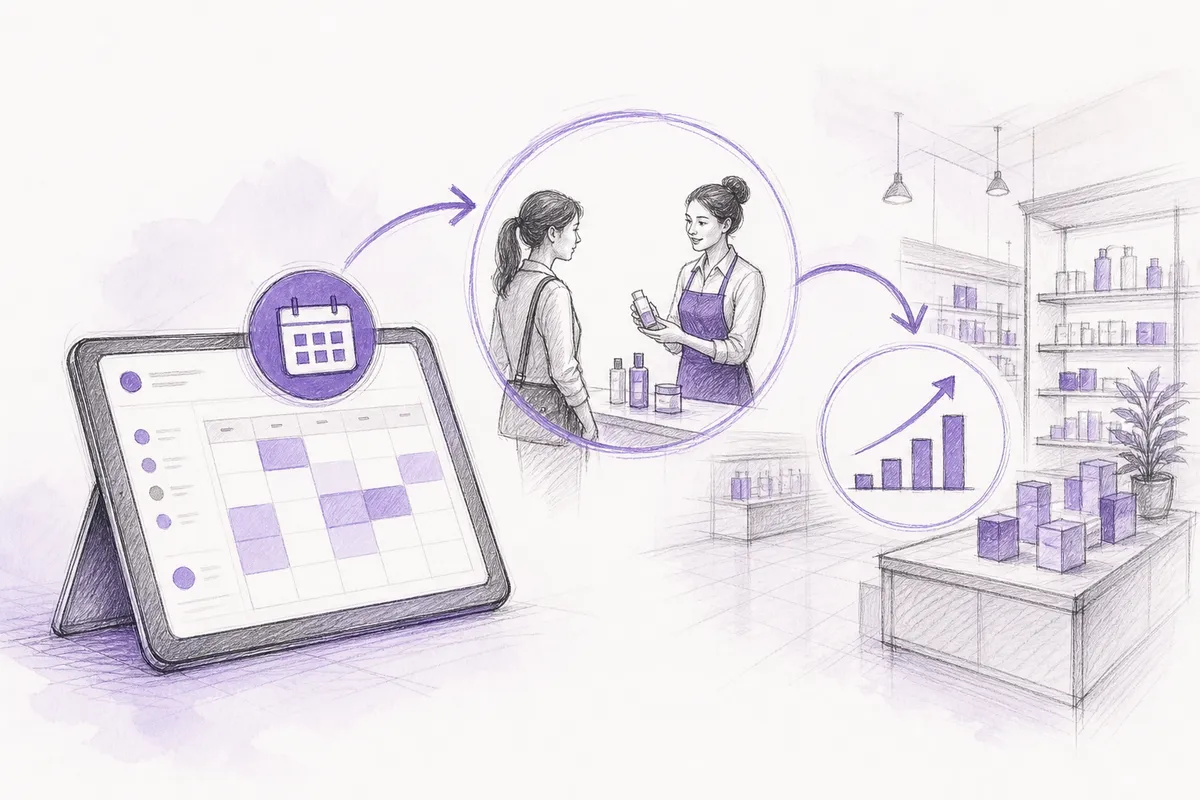
Retail demo scheduling software simplifies in-store sampling management by replacing error-prone spreadsheets with automated booking and compliance tracking workflows. By synchronizing schedules across CPG brands, field staffing agencies, and store managers in real time, the software eliminates booking conflicts, reduces administrative costs, and ensures consistent execution for maximum retail sales lift.
Retail demo scheduling software coordinates the three parties involved in an in-store product demonstration, the CPG brand, the retailer, and the demo staffing company, so every shift, location, and result lives on one shared calendar instead of scattered emails and spreadsheets. This differs from employee scheduling tools, which manage internal staff shifts and labor compliance for a single employer. Demo coordination instead tracks who is doing what, where, for which brand, and whether it drove sales velocity across many stores and outside vendors at once.
Employee scheduling software and retail demo scheduling software solve different problems because one manages a single employer's staff, while the other coordinates independent companies working together.
A typical retail scheduling tool, the kind used to build weekly shift rosters, manage time-off requests, and track labor-law compliance, exists to serve one employer [4]. It assigns cashiers and stock associates to shifts inside a single store or chain, and everyone involved shares the same HR system, the same payroll, and the same chain of command. TCP Software and similar platforms are built around that exact relationship: one company, one workforce, and one set of compliance rules to satisfy [3].
In-store demo coordination breaks that model because it spans three separate organizations that don't share any back-end system: the CPG brand funding the activation, the retailer hosting it, and often a third-party demo company or agency supplying the ambassador. None of them run payroll together or see the same internal calendar. That's also why demo coordination isn't an appointment-booking problem, tools built for consumers to book a salon slot or a sales call solve a shopper-facing scheduling need, not a multi-party B2B operations problem [5].
Each party in a demo campaign needs something different from a scheduling system, and the mismatch is where most coordination breaks down:
The retailer needs a centralized view of who is walking into their store, on what day, and whether that person will follow in-store conduct and setup rules.
The CPG brand needs proof that a scheduled shift actually happened and some signal of sales impact afterward, not just a calendar entry.
The demo company or agency is juggling ambassadors across dozens of client brands and hundreds of store accounts at once, so it needs cross-client staffing visibility that a single-employer scheduling tool was never built to provide.
Demo Wizard addresses this by giving brands, retailers, and demo companies one shared calendar and a shared record of ambassador assignments, rather than forcing each party to reconcile separate spreadsheets. Retailers get visibility into store-level activity without extra administrative work, brands get execution and performance data tied to each shift, and demo companies can staff hundreds of monthly events across many client accounts from a single coordinator seat.
A single demo touches at least three parties, the CPG brand, the ambassador or agency staffing the table, and the store itself, and without a shared system, none of them sees the full picture at the same time.
Most multi-location demo programs still run on phone calls, email threads, and spreadsheets passed between a brand coordinator, a staffing agency, and a store manager. That chain breaks easily: an ambassador confirms by text, the agency forgets to update the spreadsheet, and the store manager finds out a vendor is setting up a table only when someone walks through the door. The brand, meanwhile, has no reliable way to confirm the shift happened at all beyond a follow-up email asking for a photo.
This gap is exactly why CPG shopper marketing teams are under pressure to produce defensible proof that a demo occurred and drove sales, rather than relying on attendance guesses after the fact [1]. When the scheduling record lives in someone's inbox, nobody, not the brand, not the retailer, has a dependable source of truth.
Retail demo scheduling software replaces that patchwork with one calendar that store staff, brand coordinators, and demo agencies all view at the same time. A store manager can see every booked activation for the week before it happens, which eliminates double-booked tables and the surprise of an unannounced vendor showing up during a busy shift. Brands get the same visibility in reverse: they know which stores have open slots and which ambassadors are confirmed, without a round of calls to check.
Compliance follows the same logic. Check-in and check-out confirmation, setup photos, and adherence to store-specific rules, aisle placement, approved timing windows, and footprint limits, get logged automatically as part of the booking, instead of requiring a manager to walk the floor and verify it. That record also removes store employees from the job of chasing vendors and ambassadors for updates, freeing them to focus on stocking shelves and helping shoppers instead of managing a coordination problem that belongs to the brand.
The stakes rise further with roadshow-style activations, where a brand occupies a dedicated footprint for several days with multiple ambassadors, staged inventory, and bundled offers rather than a single ambassador at a sampling table. A multi-day setup multiplies every point of failure in manual coordination, inventory timing, shift handoffs, and signage consistency, which is precisely where a centralized system, like the one Demo Wizard provides for multi-location campaign coordination, keeps every party working from the same schedule instead of competing versions of it.

The right metrics for in-store demos are sales velocity, average transaction value, and units sold per shift, not ecommerce conversion rate, which has no equivalent at a sampling table.
Brick-and-mortar stores don't have a checkout funnel to measure, so "conversion rate" borrowed from e-commerce doesn't translate cleanly to a demo table in aisle 7. What does translate: sales velocity (units moved per store per day) and average transaction value, or basket size, during the activation window compared to a normal day [2].
A brand activation manager justifying a demo budget to finance needs numbers tied to shelf movement, not website-style metrics that don't exist in a physical store. Products featured in retail demos often sell meaningfully better than non-sampled items during the same period, according to industry reporting on in-store activation performance [2]. Sales velocity and basket size are the two figures that hold up in that conversation.
Units sold per shift and per hour give the clearest read on how a specific activation performed, since they tie directly to the hours an ambassador was on the floor. A Saturday afternoon shift that moves 80 units tells a coordinator something a weekly sales report never will, which time slots and store formats actually convert foot traffic into purchases.
That sales data needs execution proof behind it to be defensible. The core proof points coordinators should collect include:
Photo compliance showing the table or footprint was set up correctly.
Ambassador check-in and check-out timestamps for each shift.
A completed recap report confirming the demo happened as scheduled and wasn't cut short or skipped [1].
Brands that pair measurable outcomes with this kind of execution documentation are better positioned to defend trade spend when a retail buyer asks for proof [1].
Isolating the lift requires a baseline: compare demo-day velocity at a given store against that same store's non-demo-day velocity, ideally over a comparable prior period. This controls for store-specific traffic patterns rather than comparing against a national average that doesn't reflect that location.
Most retail demo scheduling software doesn't pull this data through a live point-of-sale integration. Instead, it ingests sales figures from the retailer or a third-party data provider after the fact, then layers in the execution data collected on-site. Demo Wizard works this way, it aggregates store-level performance and ambassador execution records so a coordinator can see which stores and time slots actually drove velocity, without needing a direct POS connection to generate the report.
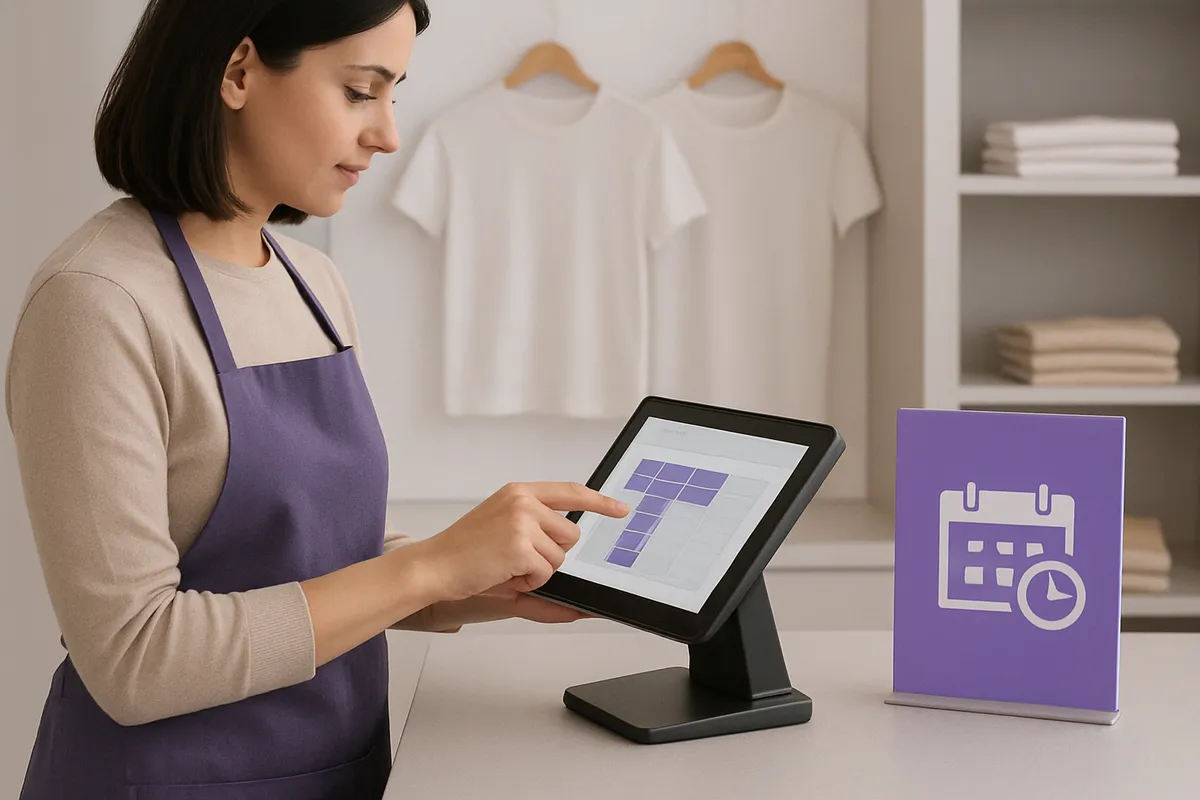
Retail demo scheduling software removes administrative work by automating the confirmations, reminders, and recap collection that coordinators currently do by hand, call, or email.
A brand activation manager running 40 demos a month typically spends hours each week on tasks that have nothing to do with strategy. Confirming that an ambassador still plans to show up, re-sending the same shift details after a schedule change, chasing down a no-show confirmation the morning of an event, and relaying store-specific instructions, which entrance to use, who to check in with, where to park a sampling cart, all consume time that should go toward picking better stores and time slots.
Store employees absorb a version of this burden too. When a vendor calls the front desk to confirm a demo slot or an ambassador shows up without the right paperwork, a store associate becomes the default point of contact, pulled away from stocking shelves or helping shoppers to answer questions that have nothing to do with their job.
Automated confirmation workflows address the attendance problem at its root by prompting ambassadors ahead of each shift instead of waiting for a coordinator to chase them down. If an ambassador doesn't confirm within a set window, the system flags the slot as open early enough for a coordinator to backfill it rather than discovering the gap when no one shows up at the store. This shifts the coordinator's role from constant follow-up to managing exceptions, a smaller, more manageable set of tasks.
Post-event reporting benefits from the same logic. Instead of a coordinator emailing each ambassador for photos, notes, and unit counts after every shift, then manually assembling that information into a spreadsheet, recap collection happens inside the platform as part of closing out the event. Demo Wizard's analytics dashboard aggregates this data by store and time period automatically, so performance insights are ready without a separate compilation step.
Removing store employees from the communication loop between vendors and ambassadors eliminates a recurring interruption to their core duties, which retailers increasingly cite as a reason to require centralized scheduling tools from the brands and agencies that use their floor space. Once confirmations, reminders, and reporting stop requiring manual follow-up, a single coordinator can realistically oversee hundreds of monthly events instead of dozens, the core scalability gap that generic calendar tools and spreadsheets were never built to close [5].
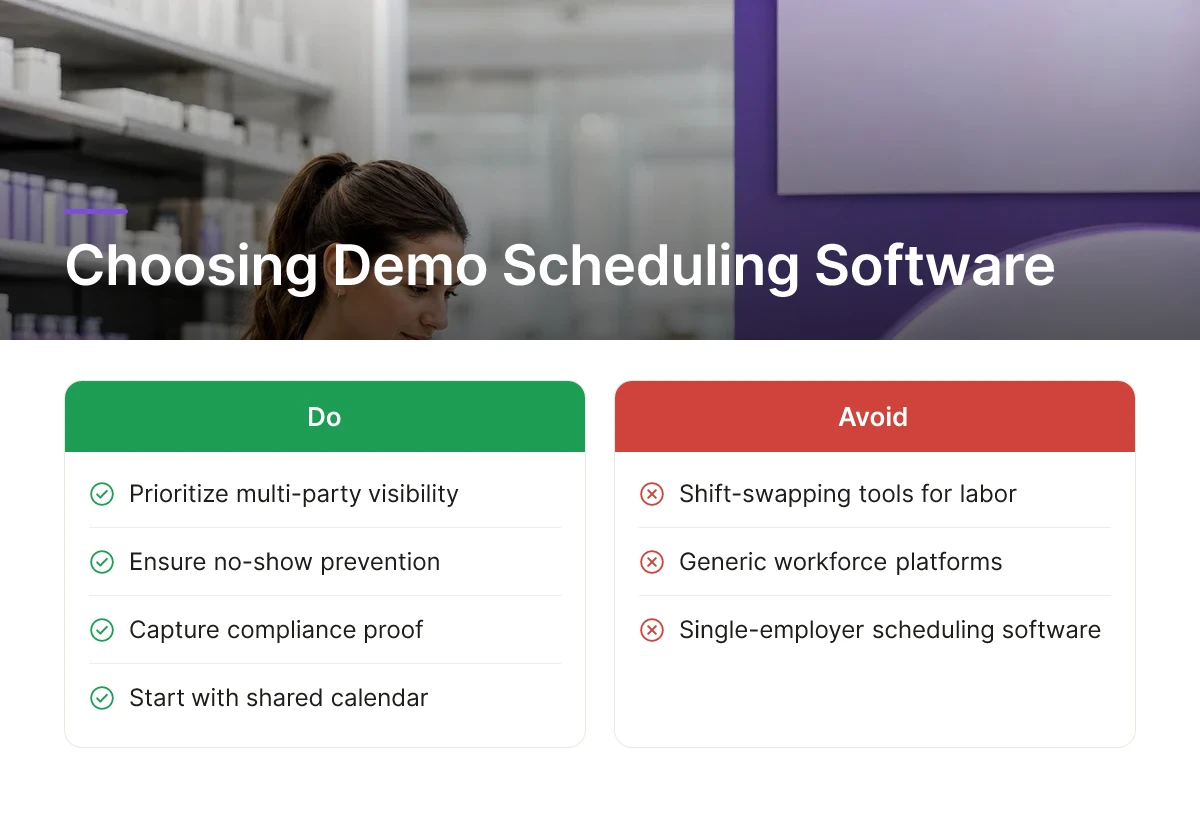
The right evaluation criteria focus on coordination and proof of execution, not shift-swapping tools built for hourly retail labor. A platform built for retail demo scheduling software needs to solve for multi-party visibility, no-show prevention, and compliance capture, three problems generic workforce tools weren't built to handle.
Start with the calendar. Retailers, CPG brand managers, and demo agency coordinators all need to see the same schedule, but not necessarily the same details. A store manager may only need to know that a vendor is arriving at 10 a.m. and occupying the front end-cap, while the brand's activation manager needs ambassador names, product counts, and campaign notes. Role-based visibility, one shared calendar, different views, eliminates the email chains and text threads that cause double-bookings and missed setup windows.
No-shows are a persistent cost in field marketing, and manual phone-tag confirmation doesn't scale once a coordinator is running more than a handful of events a week [2]. Automated reminder sequences and confirmation workflows for brand ambassadors catch scheduling conflicts days in advance rather than the morning of the shift, which matters most during high-volume roadshow windows when back-up staffing is tight.
Recap and compliance data should be part of the shift itself, not a follow-up task. Look for platforms where photo capture, check-in/check-out timestamps, and ambassador notes are logged inline as the event closes, since separate reporting steps are the first thing skipped when a shift runs long [1].
Most platforms in this category, Demo Wizard included, do not connect directly to in-store POS systems, and that is fine, because the stronger requirement is the ability to ingest sales data retailers or third-party data providers already export. Brands proving incremental lift need to match demo schedules against sales velocity by store and day, a process that works through imported CSV or data-feed exports just as well as a live POS connection [1].
Pricing should scale with how the business actually runs demos, not a fixed feature list. Weigh budget-friendly options against mid-range and enterprise tiers based on store count and monthly event volume, a coordinator running 500 monthly demos across multiple retail banners has different needs than a single-brand team running 20. Because outside agencies, brand staff, and sometimes retailer employees all touch the same schedule, confirm the platform offers access controls that limit each party to its own stores and events, protecting both competitive data and shift-level privacy.
When comparing platforms, a useful checklist includes:
Role-based calendar views for retailers, brands, and agencies.
Automated confirmation and reminder workflows for ambassadors.
Inline photo capture and check-in/check-out compliance logging.
Support for importing sales data via CSV or data-feed exports.
Access controls that limit each party to its own stores and events.
Pricing that scales with store count and monthly event volume.
No, they solve different problems and most brands need both. Employee scheduling tools like those built for retail staff manage shift coverage and time tracking for store associates [3]. Retail demo scheduling software coordinates brand ambassador deployment, booking, and ROI tracking for in-store activations across many retail locations, a separate workflow from staffing a store's own payroll.
Ownership works best when it's shared on one visible calendar rather than siloed in separate spreadsheets. The retailer needs visibility to avoid scheduling conflicts and disruption to store operations, the brand needs control over campaign timing, and the agency or coordinator needs to manage ambassador assignments. A centralized system that all three parties can see reduces the back-and-forth emails that typically bog down approvals.
No, retail demo scheduling software does not track or communicate with individual shoppers. It coordinates brand ambassadors and in-store staff, and measures aggregate outcomes like sales velocity or conversion rate by store and time period, not consumer-level data.
It treats a roadshow as a linked series of shifts rather than a single booking, keeping staffing and inventory coordinated across the full run. A roadshow might span three to ten days with dedicated footprint and bundled offers, unlike a single-day sampling table. Scheduling software assigns ambassadors across each shift, flags staffing gaps before they cause a no-show, and rolls performance data up into one campaign-level report instead of forcing a coordinator to stitch together separate logs for each day.
Sales velocity measures units sold per store over a time period; conversion rate measures the share of people who sample and then buy. Brick-and-mortar brands typically track sales velocity and average transaction value, since store-level foot traffic data needed for a true conversion percentage is harder to isolate than it is in e-commerce.

Scaling in-store demos past a handful of stores breaks down fast when scheduling, ambassador management, and performance reporting live in separate spreadsheets. The brands that scale past 100 monthly events do three things: centralize the calendar so retailers and coordinators see the same schedule, track performance by store and time instead of relying on attendance guesses, and tie ambassador payroll directly to completed shifts instead of manual timesheets. Demo Wizard builds these into one system, priced per demo with no per-location restrictions, so a single coordinator can run activations across dozens of states without adding headcount. Start by auditing how many hours your team spends each week on scheduling logistics alone, that number usually makes the case for automating it.
CPG Brands Refine Retail Demo and Sampling Strategies to Prove ROI In-Store
Retail Employee Scheduling and Time Tracking Software | TCP Software
5 Best Retail Scheduling Software Solutions (In-Depth Comparison)
Explore more from our content library:
About the Author
Written by the SaaS / Retail Marketing Technology experts at Demo Wizard. Our team brings years of hands-on experience helping businesses with SaaS / Retail Marketing Technology, delivering practical guidance grounded in real-world results.instructions, including
Demo Wizard is the Ultimate Store Sampling & Demonstration management software for Brick and Mortar Retailers and CPG Vendors.
Chat with usPhone