
Demo Wizard is the Ultimate Store Sampling & Demonstration management software for Brick and Mortar Retailers and CPG Vendors.
Chat with us

Phone
Copyright © 2026 Demo Wizard
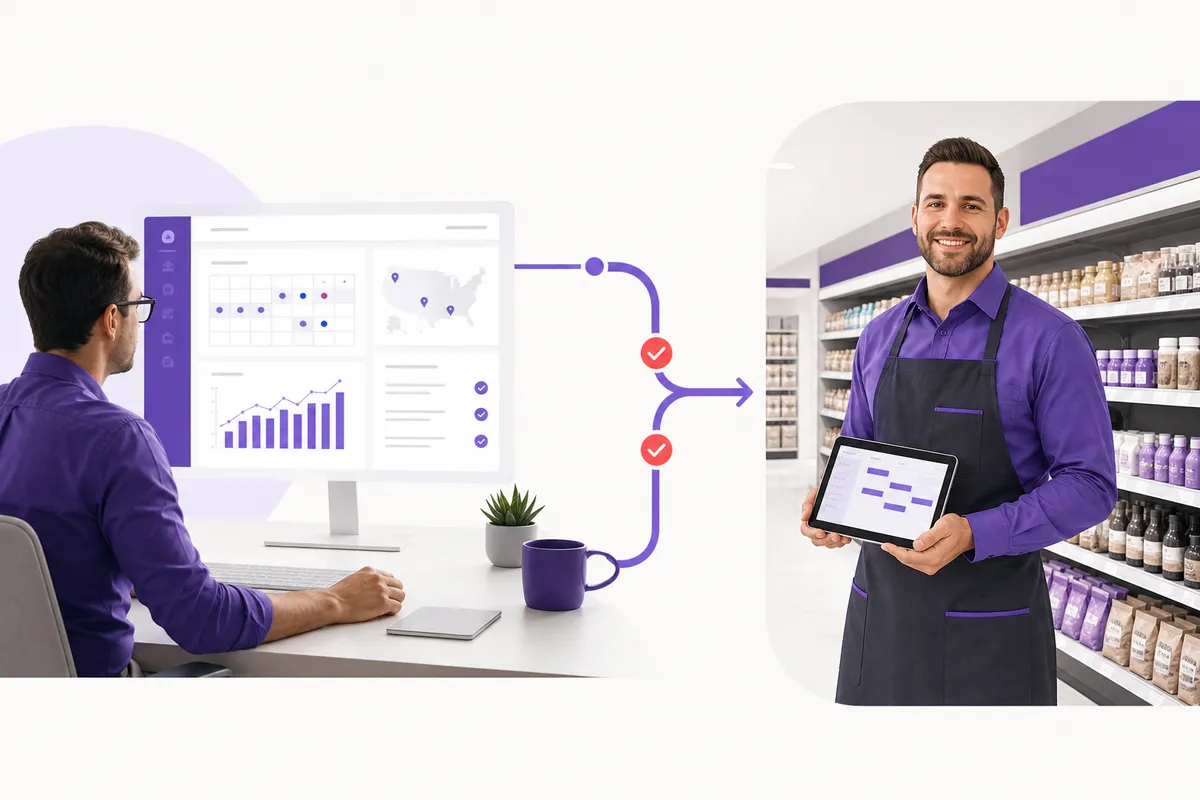
Purpose-built retail execution software streamlines in-store demos by replacing manual spreadsheets and emails with a single shared calendar, automated ambassador check-ins, and photo compliance tracking. Because CPG brands rely on post-demo conversion rates while retailers own POS sales velocity, the most effective platforms align reporting to what each side actually measures while scaling on demo volume rather than per-user fees.
Retail execution software for in-store demos is a platform that automates the scheduling, staffing, compliance tracking, and ROI measurement of product demonstrations and brand activations across retail locations. Instead of coordinators manually emailing retailers, distributors, and brand ambassadors to confirm dates and check compliance, the software centralizes the calendar, automates confirmations, and generates post-demo reports on conversion and engagement. CPG brands use it to track demo conversion rate and campaign ROI; retailers use it to eliminate scheduling disruptions without touching sales data.
In this context, retail execution software is the system that governs scheduling, staffing, compliance, and ROI tracking for in-store demos and brand activations, not inventory counts or checkout operations. Many general references to the term point at store-level tools for planogram audits, stock checks, and point-of-sale management [3]. That's a different job. A brand activation manager coordinating 80 weekend tastings across three states needs something built around events, people, and conversion data, not shelf compliance.
The confusion is understandable. A broader retail execution platform might track whether a product is in stock, priced correctly, or displayed per planogram [4]. Those platforms arm field reps with mobile task management for audits and inventory checks [3]. Demo coordination asks a different question entirely: did the ambassador show up, was the sample table set up correctly, and did shoppers who tried the product buy it. The data, the staff involved, and the reporting cadence are all distinct from general store operations. For a broader overview of how this category of software is categorized and evaluated, see this practical guide to retail execution software.
Demo coordination is event-based, a specific ambassador, at a specific store, on a specific date, while POS and inventory tools track continuous, ongoing store conditions. A planogram audit runs on a recurring schedule regardless of staffing. A demo either happens on a given Saturday with a specific person present, or it doesn't. That structural difference means the underlying workflow, booking a slot, confirming an ambassador, verifying the activation ran, and measuring what it produced, doesn't map cleanly onto software designed for continuous merchandising checks. Trying to force demo coordination into a general retail execution suite usually means bolting a calendar onto a tool that wasn't built for one.
Purpose-built demo software replaces the phone calls, spreadsheets, and email chains that typically connect brands, distributors, retailers, and ambassadors. Instead, a shared calendar shows every scheduled activation, automated confirmations replace manual follow-up, and post-demo reports populate without anyone compiling them by hand. For a coordinator managing hundreds of monthly events, that shift is the difference between hiring more staff and scaling with the team already in place.
Demo Wizard is an example of this narrower category. It's built specifically for scheduling and tracking in-store demos and ambassador management, not as an all-in-one retail suite covering inventory or shelf compliance.
Retail execution software coordinates demos by replacing scattered spreadsheets and phone calls with one shared calendar, automated confirmations, and compliance checks that run without a coordinator chasing every detail. Each actor, brand, agency, retailer, and ambassador, sees the same schedule in real time, which is what separates software-driven coordination from the manual process it replaces.
A shared calendar that brands, retailers, agencies, and brand ambassadors can all view eliminates the double-booking problem that plagues manual scheduling. When a store manager, a regional brand lead, and an agency dispatcher each keep their own version of the schedule in separate spreadsheets or email threads, conflicts surface on the sales floor, two vendors showing up for the same table, or no one showing up at all.
Demo Wizard addresses this by giving every party visibility into the same event calendar across every location a brand or agency manages. A coordinator scheduling 200 demos a month across a dozen states can see store-level availability at a glance instead of emailing each location to confirm an open slot. That single source of truth is what lets one person manage hundreds of monthly events without adding headcount.
Automated confirmation workflows stop brand ambassadors from no-showing by requiring a confirmed check-in ahead of the event, with built-in alerts that flag gaps early enough to arrange backup staffing. Instead of discovering a cancellation when a store calls asking where the demo table is, coordinators get a notification while there's still time to reassign an ambassador or pull in backup coverage.
Compliance tracking works the same way: ambassadors confirm arrival and often submit photo documentation showing the demo station, signage placement, and setup matched brand standards and the retailer's in-store conditions. This record also supports the kind of execution proof retailers increasingly expect in exchange for shelf space and table access [2]. For brands building out a broader in-store activation strategy, it also helps to review proven approaches to in-store activations that drive sales for CPG brands.
Automated communication also takes retailer store employees out of the loop entirely. Rather than a store associate fielding calls from a vendor's field rep, a distributor, and a brand's marketing team about the same event, the platform routes scheduling questions and status updates directly between brands, agencies, and ambassadors, leaving store staff to run the store, not manage vendor logistics.
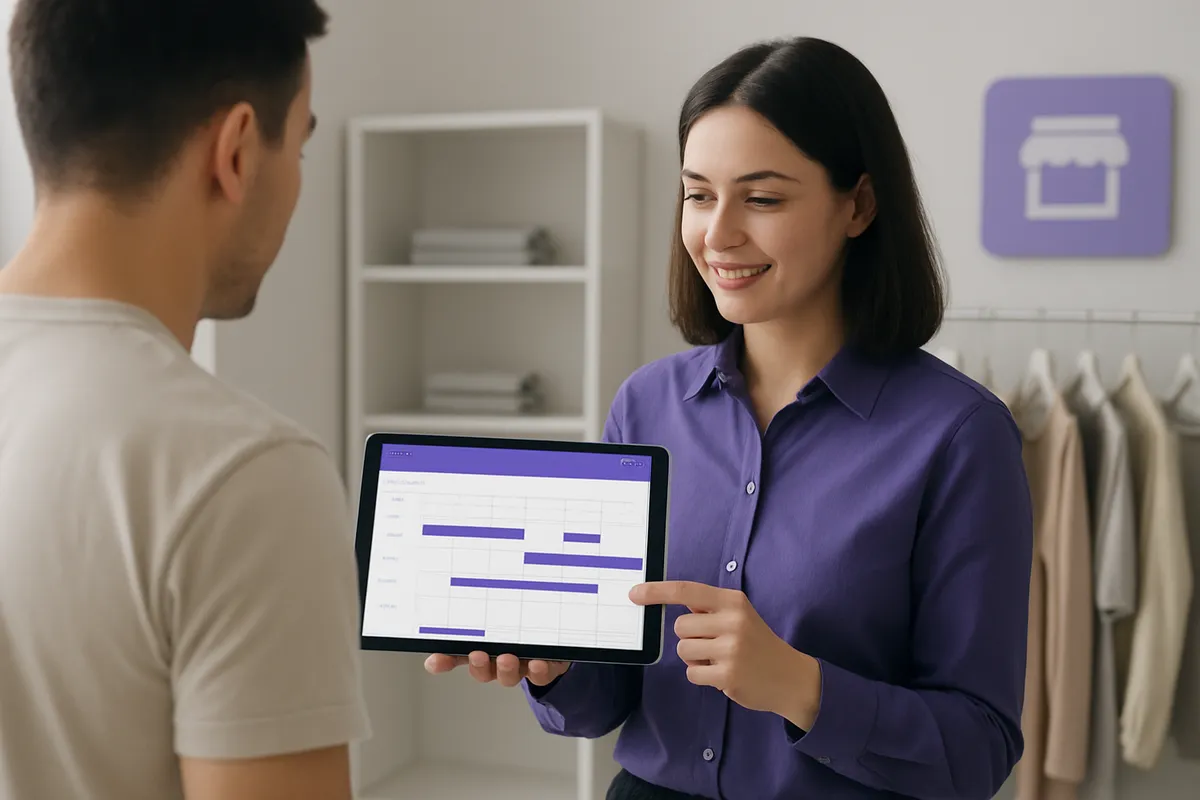
Retail execution software tracks different metrics for different users, brands measure demo conversion from their own post-demo reports, while retailers measure sales velocity from POS data they rarely share.
For CPG brands and the agencies that run demos on their behalf, demo conversion rate is the number that matters most: samples given out versus units bought at the table during the event. Brands and agencies don't get direct access to a retailer's point-of-sale system, so this ratio, pulled from the post-demo report, is the clearest read they have on whether a given activation worked.
A conversion rate that falls below a healthy range is a diagnostic signal, not just a disappointing number. It usually points to one of three problems: the store's shopper demographic doesn't match the product, the brand ambassador wasn't the right fit for the audience or the pitch, or the demo station sat too far from the shelf, breaking the path from sample to cart. Reviewing shopper comments captured in the same post-demo report often confirms which of the three is at fault.
Beyond conversion rate, brands and agencies track a set of supporting metrics that round out the picture:
Consumer engagements (how many shoppers stopped at all)
Sales lift during the demo window
The brand ambassador's taste-to-purchase ratio
Cost per sample
Repeat purchase rate where loyalty data exists
Overall campaign ROI
Platforms built for this use case, including Demo Wizard, generate these figures automatically from scheduled and completed events, which is what lets one coordinator track performance across hundreds of monthly demos without building spreadsheets by hand.
Retailers sit on the data brands don't have: actual POS sales velocity and basket size (average transaction value) by store and by day. For a retailer deciding whether a vendor's activation earned its shelf space and staff time, sales velocity during and after the demo window is the primary lift metric, because it reflects real transactions rather than estimated conversion.
Store conversion rate, the rate of samples to sales at a given location, is a useful secondary signal for retailers too, but it plays a different role than ROI. A high store conversion rate tells a retailer or brand that the shopper base at that location matches the product well, which is valuable for deciding where to focus future activations and marketing spend. It's a demographic-fit signal sitting alongside sales velocity, not a replacement for it.
Brands and retailers rarely combine these data sets directly. A brand's demo conversion rate from its own report and a retailer's sales velocity from POS are two separate views of the same event, not one shared dashboard. Each side is better served interpreting its own numbers on their own terms than assuming the other party sees the same thing [3].
Match the pricing model to how you actually run campaigns, confirm your data can leave the system if you need it to, and start small before scaling demo volume. Teams evaluating options can compare approaches in this overview of retail execution software for consumer goods companies.
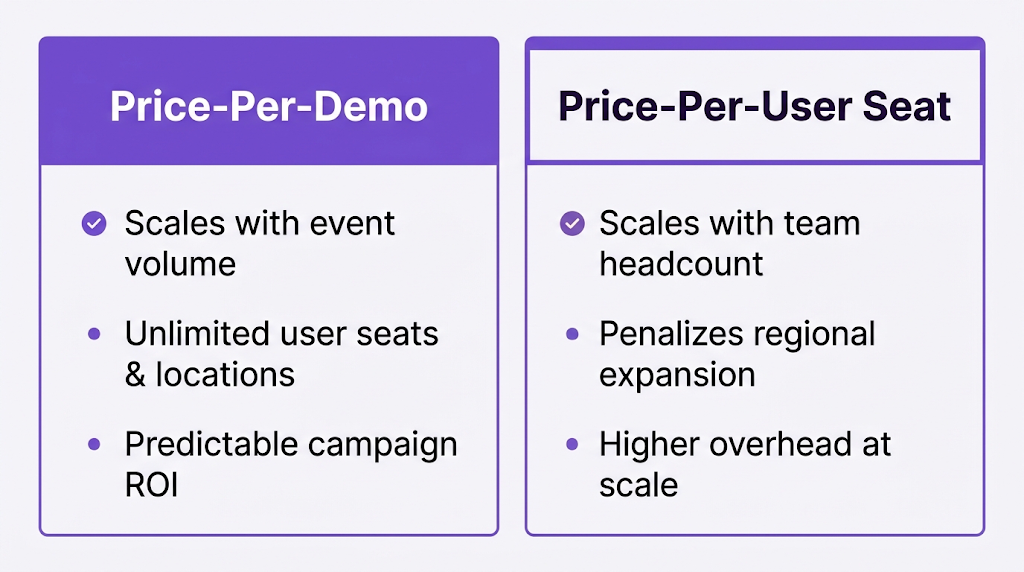
Most retail execution software falls into two pricing camps: cost that scales with the number of demos you schedule, or flat and tiered licensing tied to user seats or locations. For a brand running a handful of activations in one region, per-user pricing might look manageable. But once you're coordinating hundreds of monthly events across 20+ states, per-user and per-location fees punish exactly the scale you're trying to achieve.
Demo Wizard built its model around this reality: subscription rates that scale with demo volume rather than with the number of users or locations involved. A brand activation manager adding three regional coordinators or expanding into 15 new stores shouldn't trigger a new pricing tier. The question to ask any vendor is simple: does cost track with demo volume, or does it track with your headcount?
On the retailer side, budget rarely factors into the decision at all. Vendors typically fund the demos hosted in their stores, which means retailer participation is usually free. That removes a common selection barrier for retail teams evaluating whether to adopt a coordination platform in the first place.
Before signing on, ask what happens to your data if you leave. Can you export post-demo reports, ambassador performance records, and compliance history in a usable format, or does that history stay locked inside the vendor's dashboard?
This matters more than it seems during a sales pitch. A brand that's run 18 months of activations needs that conversion data to evaluate store performance and plan next year's calendar, losing it because a platform doesn't support clean exports sets a trade marketing team back months. Ask for a sample export before committing, not after.
Start with a free trial and onboard one region or store group rather than converting your entire footprint on day one. Before scaling further, confirm the compliance and reporting workflow works the way your team expects:
Are store-level photos uploading correctly?
Are ambassador check-ins syncing in real time?
Is the post-demo report capturing what finance needs to see?
Once that single region runs smoothly, scale demo volume in phases.
For demo staff on the ground, the mobile app matters more than any dashboard feature. Ambassadors need simple check-in at the store, reliable photo upload for compliance proof, and sync that doesn't drop data when a store's Wi-Fi is weak. A coordinator sitting in a home office can't verify an activation happened correctly without that ground-level reliability.
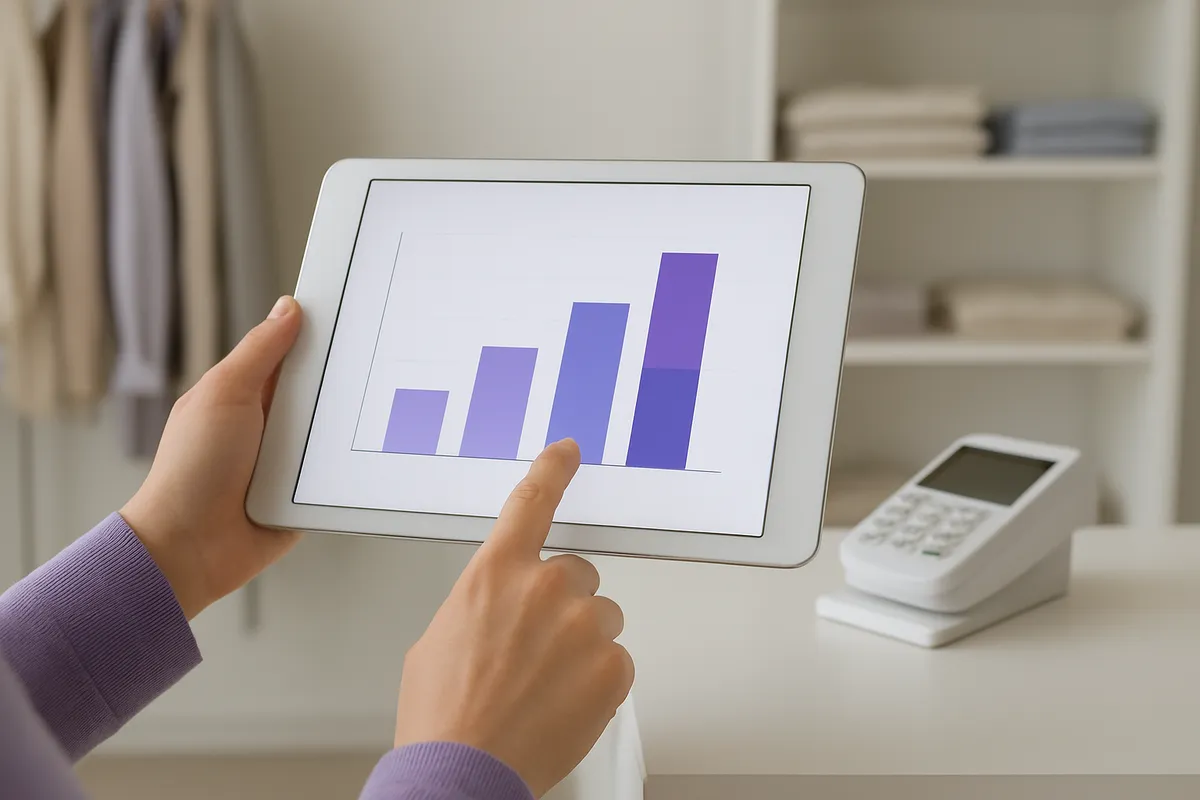
The right checklist covers two separate questions: where does the sales data come from, and how does the platform prove the demo actually happened as planned.
Most retail execution software, including demo-specific platforms, does not maintain a live, direct feed into a retailer's point-of-sale system. Instead, these tools typically ingest sales figures from retailers' own reports or from third-party data providers on a periodic basis, daily, weekly, or per campaign cycle, depending on what the retailer is willing to share.
This distinction matters more than most buyers realize during a demo call. If a brand has no direct POS feed, any sales velocity number shown in a dashboard is an estimate built from incomplete or delayed inputs, not a real-time read of register data. Brands and demo agencies typically have access to their own demo conversion rate, samples given versus units bought at the table, but not the retailer's actual POS figures unless that retailer chooses to share them. Retailers are the only party with full visibility into sales velocity and basket size, and they rarely pass that data back to the brands running demos in their aisles. Buyers should ask vendors directly: is sales data ingested from the retailer or a data provider, and on what schedule? Vague answers here are a signal to dig further, not a reason to walk away, few platforms in this category offer anything deeper.
Compliance tracking is where integration claims matter less than operational proof. Look for four concrete capabilities:
Verification that in-store conditions matched what was planned (table placement, signage, product stock)
Confirmation the demo ran during its scheduled window
Photo or check-in evidence from the ambassador on-site
A structured way to capture shopper comments during the interaction
That last point does double duty. Shopper reactions, taste feedback, pricing objections, packaging confusion, captured consistently across hundreds of demos become a feedback loop brands can act on. A pattern of comments about a confusing label or a price point that triggers hesitation is the kind of signal that shapes the next packaging revision or a shelf-price conversation with the retailer, not just a nice-to-have note in a post-demo report.
No, it coordinates demo scheduling, staffing, and conversion tracking, and runs alongside POS or inventory systems rather than replacing them. A demo-focused platform like Demo Wizard handles ambassador assignments, event calendars, and post-demo analytics; it does not manage checkout, stock counts, or supply chain functions, which stay with the retailer's existing systems.
No, brands typically cannot access a retailer's point-of-sale data through demo coordination software. Brands measure demo conversion rate, samples given versus units bought at the demo table, pulled from the post-demo report, but sales velocity across the wider store remains an estimate for them unless the retailer shares that data separately. Retailers, not brands, own the POS numbers.
A demo conversion rate below 10% generally signals a problem with the activation, not just a slow day. It could mean the product is in a store whose shopper base doesn't match the target demographic, the brand ambassador isn't a strong fit for the role, or the demo station is positioned too far from the shelf. Checking shopper comments in the post-demo report usually points to the cause.
Often yes, many platforms, including Demo Wizard, offer retailers free access since CPG vendors typically pay for the demos hosted in-store. This model lets retailers get a centralized calendar and visibility into activations without taking on subscription costs themselves, since brands are the ones funding the sampling events.
Brands track demo conversion rate, engagement, and campaign ROI from post-demo reports, since they lack access to store POS data. Retailers, by contrast, own sales velocity and basket size figures but have no visibility into demo conversion itself. The two groups rarely combine their data, so the software needs to serve each audience's distinct metrics rather than blending them into one dashboard.

Retail execution software for in-store demos works best when it's matched to what each side can actually measure: brands track demo conversion and shopper feedback, retailers track sales velocity and basket size, and neither should pretend to own the other's data. The platforms that scale well, letting one coordinator run hundreds of monthly events, as Demo Wizard is built to do, succeed by automating scheduling, ambassador payroll, and reporting instead of bolting demo tracking onto a general-purpose tool. If your team is still coordinating demos through spreadsheets and email threads, start by auditing how many hours per week go into scheduling alone, that number usually makes the case for automation on its own.
Explore more from our content library:
About the Author
Written by Gregory Yankelovich. This article was conceptualized, directed, and reviewed by our human team of retail marketing veterans. Every strategy, framework, and recommendation originates from the hands-on expertise of our experts. Human insight drives the core narrative, ensuring all advice remains grounded in real-world retail execution. AI assistance was used to streamline production and optimize for generative engine optimization (GEO).
Demo Wizard is the Ultimate Store Sampling & Demonstration management software for Brick and Mortar Retailers and CPG Vendors.
Chat with usPhone